Introduction
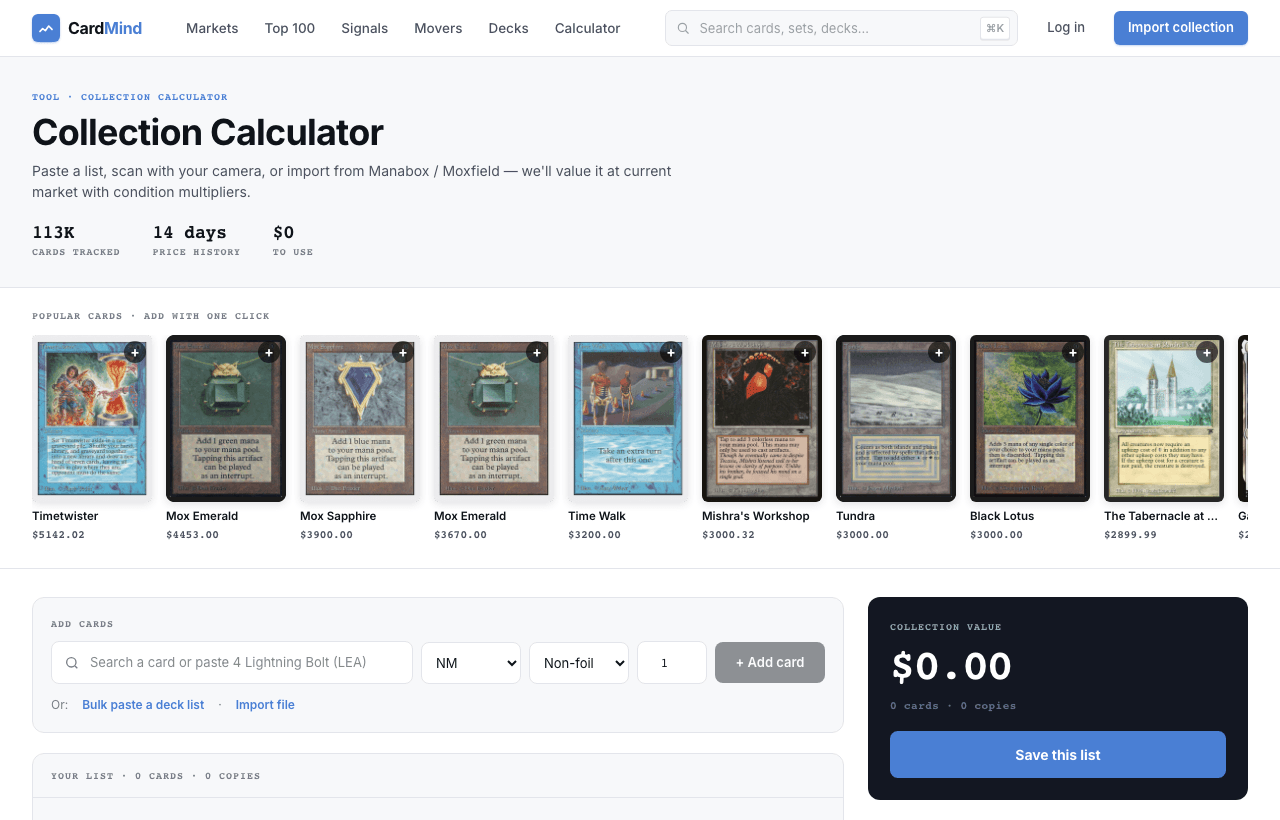
The Collection Calculator gives you an instant market valuation for any list of Magic: The Gathering cards. No account required. Paste a list, add cards by name, or import a file. You get a live total within seconds.
It supports three input methods: manual card search, bulk paste (from Moxfield, MTGO, or plain text), and file import (.csv or .txt). Condition multipliers are applied automatically so your valuation reflects the actual condition of your cards, not just the NM market price.
Adding cards
There are three ways to add cards to your list:
Search by name
Type any card name in the search bar and select from the autocomplete results. The calculator matches the highest-value printing of each card by default, so a search for “Black Lotus” will surface the Alpha printing. You can change the printing and condition for each card after it is added.
Popular cards carousel
Below the search bar, a carousel of popular cards lets you add commonly tracked cards in one click: Power 9, reserved list staples, and format staples that frequently appear in collections.
Bulk paste and file import
For larger lists, use the Bulk Paste button to paste a text list in any of these formats:
1 Black Lotus(plain text, one card per line)- Moxfield export format
- MTGO trade list format
- Deckbox collection export (.csv)
The Import File button accepts the same formats as uploaded files. The parser handles set codes, foil indicators, and quantity columns automatically.
What you see
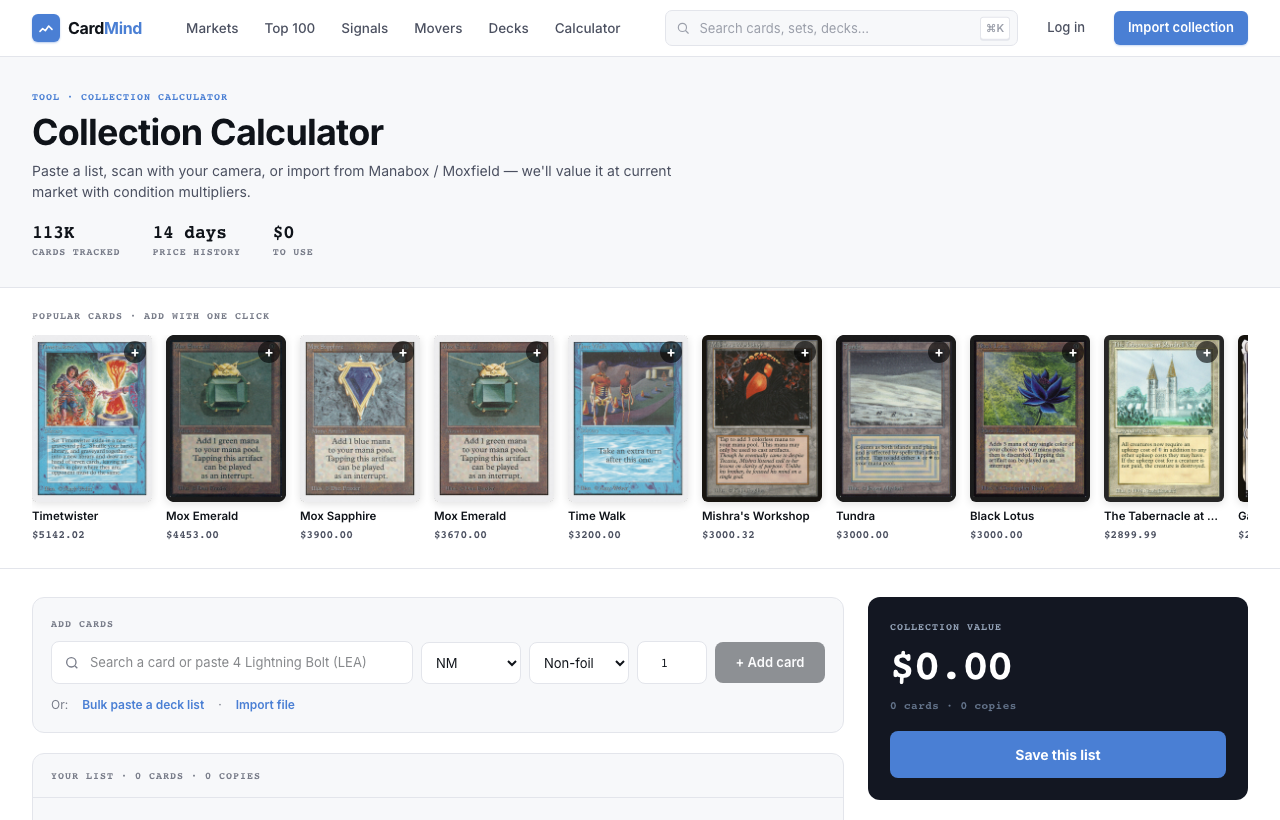
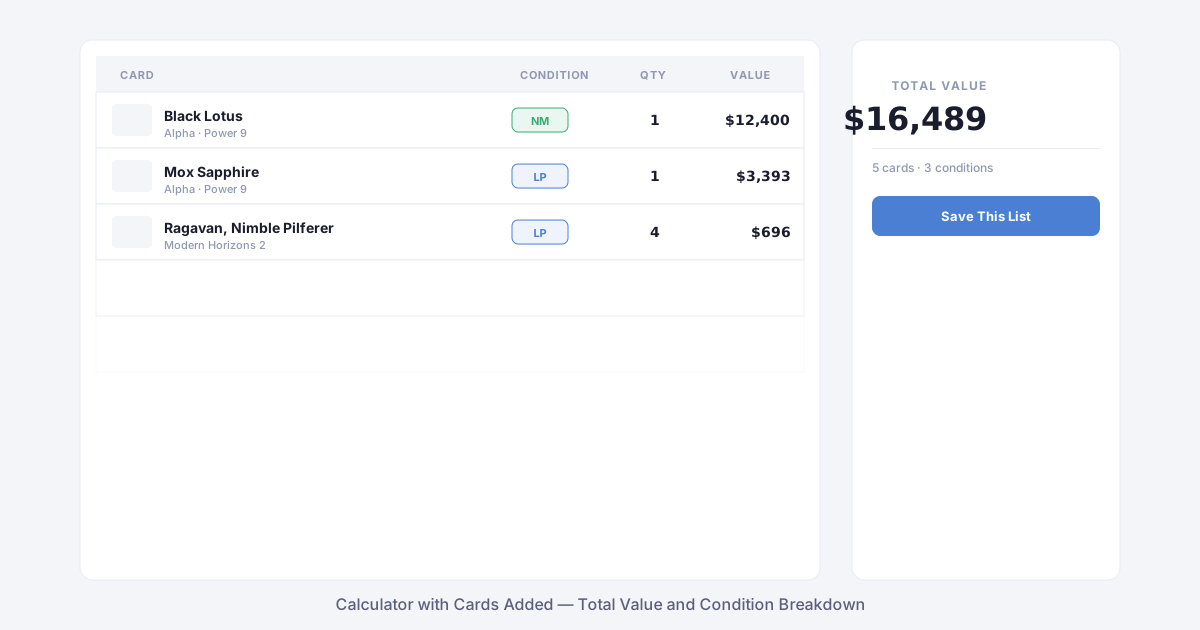
Once you have added cards, the calculator shows a row for each card with:
- Card name, set, and collector number
- Condition selector (NM, LP, MP, HP, DMG)
- Quantity
- Current market price with the condition multiplier applied
The sidebar updates in real time as you add, remove, or change cards. It shows your total collection value, card count, and a Save button to preserve your list.
Condition multipliers
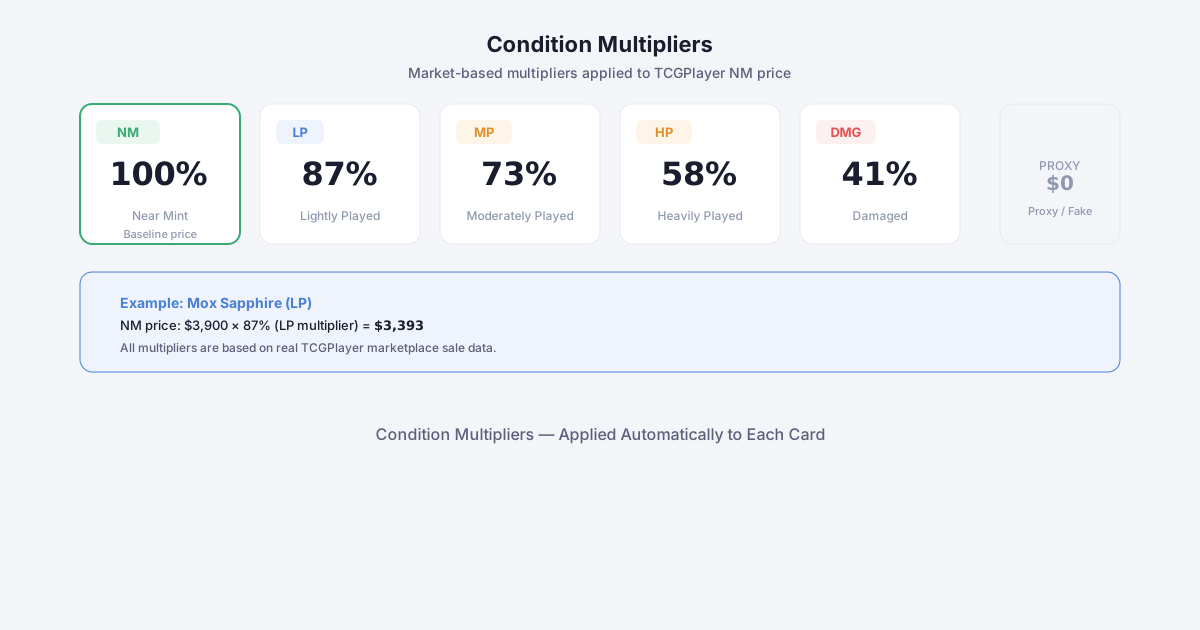
Every card on the secondary market trades at a discount relative to its Near Mint price depending on condition. CardMind applies these multipliers automatically:
- NM (Near Mint) - 100% of Scryfall market price. This is the baseline.
- LP (Lightly Played) - 87%
- MP (Moderately Played) - 73%
- HP (Heavily Played) - 58%
- DMG (Damaged) - 41%
These multipliers are based on actual TCGplayer marketplace sale data and reflect what buyers are actually paying for played copies, not what sellers are asking.
Worth Noting insights
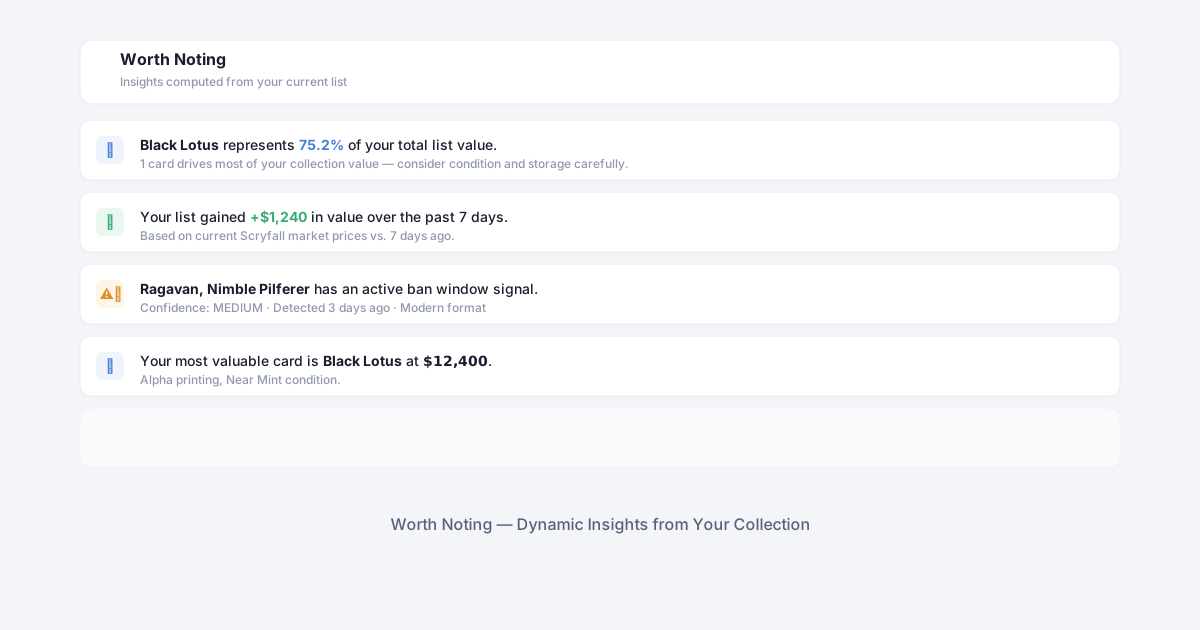
Below the card list, the Worth Noting section surfaces dynamic insights computed from your specific list. These are not generic tips. They are calculated from the cards and values you have actually entered.
Examples of what Worth Noting might surface:
- “Black Lotus represents 75% of your total list value.”
- “Your most valuable card is Mox Sapphire at $3,900.”
- “Your list gained $1,240 in value over the past 7 days.”
- “Ragavan, Nimble Pilferer has an active ban window signal - confidence: MEDIUM.”
The insights update whenever you add or remove cards. Signal-based insights (ban windows, price spikes) pull from live market data, so they reflect the current state of the market at the time you are using the calculator.
Saving your list
Click Save this list in the sidebar to create a CardMind account and preserve your calculation. Saved collections unlock:
- Price alerts - get notified when a card in your collection crosses a threshold
- AI analysis - ask for a hold or sell recommendation on any card
- Portfolio tracking - a dashboard view of your collection value over time
- Daily briefing - a morning summary of what changed in your collection overnight
If you are not ready to create an account, your list persists in your browser session while you have the tab open.
Tips
- Use bulk paste for large collections. Moxfield exports download as a CSV that the import tool reads directly.
- The calculator matches the highest-priced printing by default. If you own a specific printing (e.g., a Collector Booster foil), change the set after adding the card to get an accurate price.
- Condition matters more than you might expect. A collection of HP Power 9 is worth roughly half of the same collection in NM. The multipliers make this concrete.
- Check Worth Noting for signal alerts. If a card in your list has a live ban window or buylist drop signal, it will appear there, providing useful context before you make any decisions.
Ready to get started? Open the Collection Calculator.