Introduction
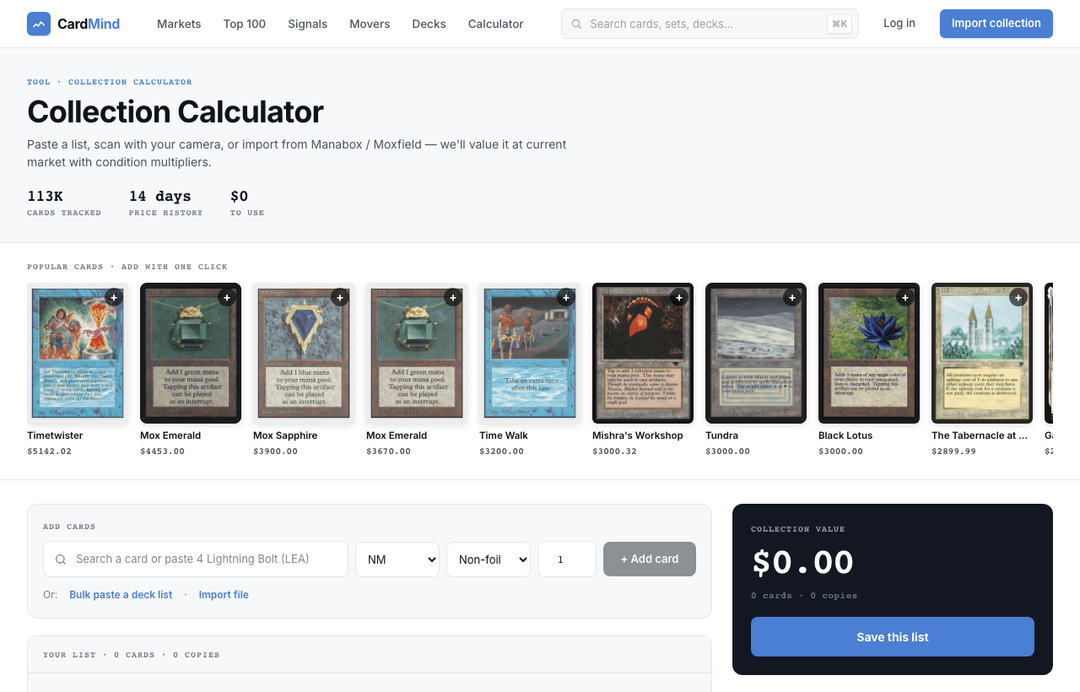
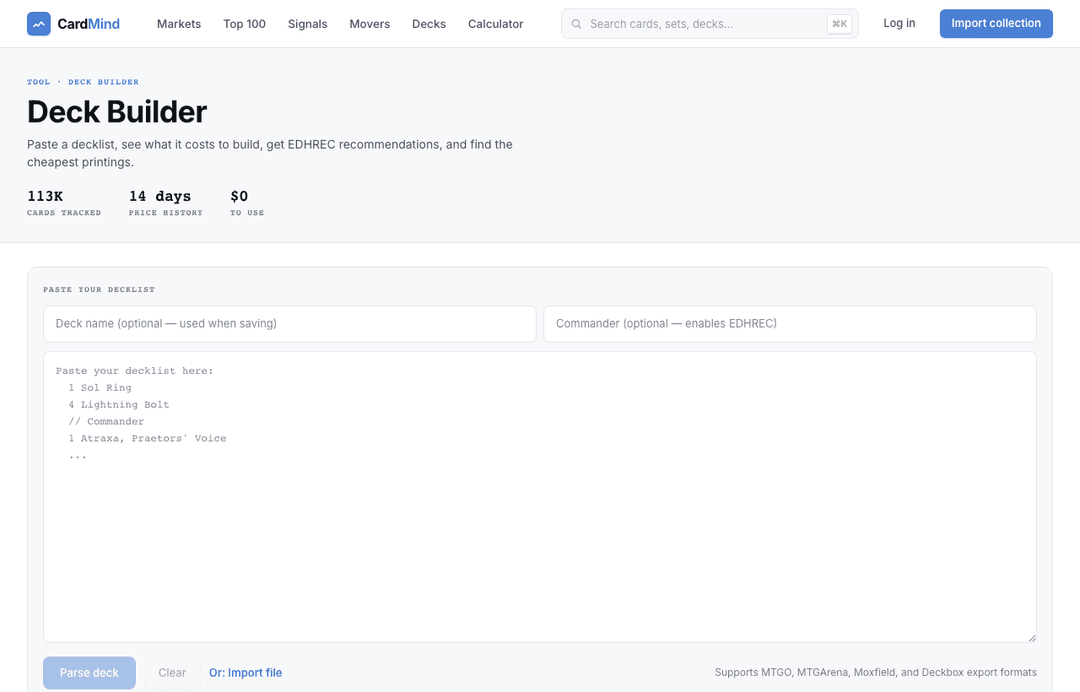
You have browsed the landing page. Tried the collection calculator. Maybe parsed a deck in Deck Intelligence. The public tools give you a solid read on what your cards are worth. But they are stateless. Close the tab and your work is gone.
Creating an account changes that. CardMind imports your calculator results automatically when you sign up, so you do not need to re-enter anything. From there you get a persistent collection, live price tracking, AI analysis on every card, market signal monitoring, and a daily portfolio briefing. This guide walks through each of those features in order.
Your dashboard
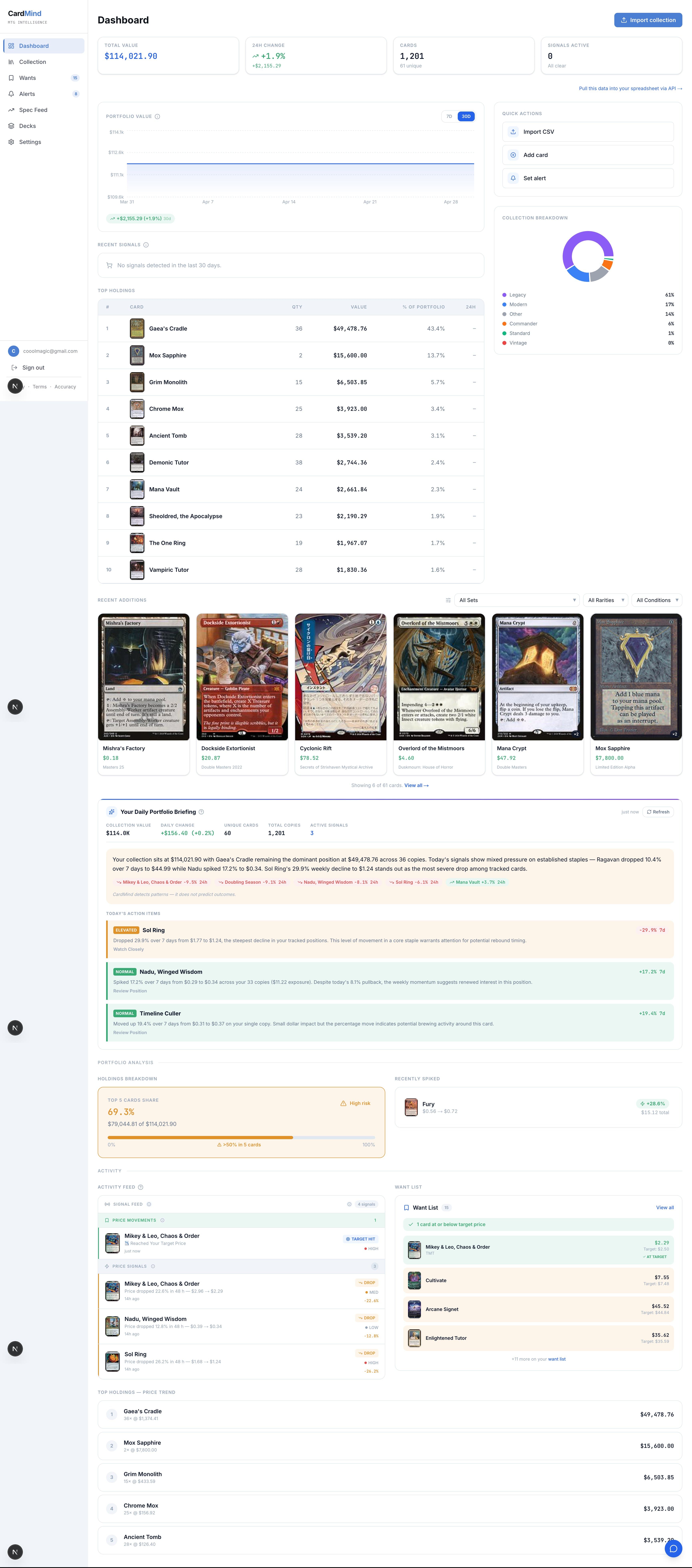
After your first login, the dashboard shows your collection value at a glance. Three stats sit at the top: total NM value (the highest-value printing of each card in Near Mint condition), the 24-hour change in dollars, and the 7-day change. These update automatically as market prices shift. You do not need to refresh anything.
Below the stats is a value chart showing your collection's worth over time. The chart uses daily price snapshots, so you can see how your portfolio has moved over the past week, month, or since you joined. Spikes in the chart typically correlate with tournament results or ban announcements, and the signal feed (described below) explains what caused them.
Your collection cards are listed below the chart. Each row shows the card name, set, condition, quantity, current market price, and a 24h price delta. Rows with active signals are highlighted, with a small badge showing the signal type (spike, drop, ban window, etc.).
AI card analysis
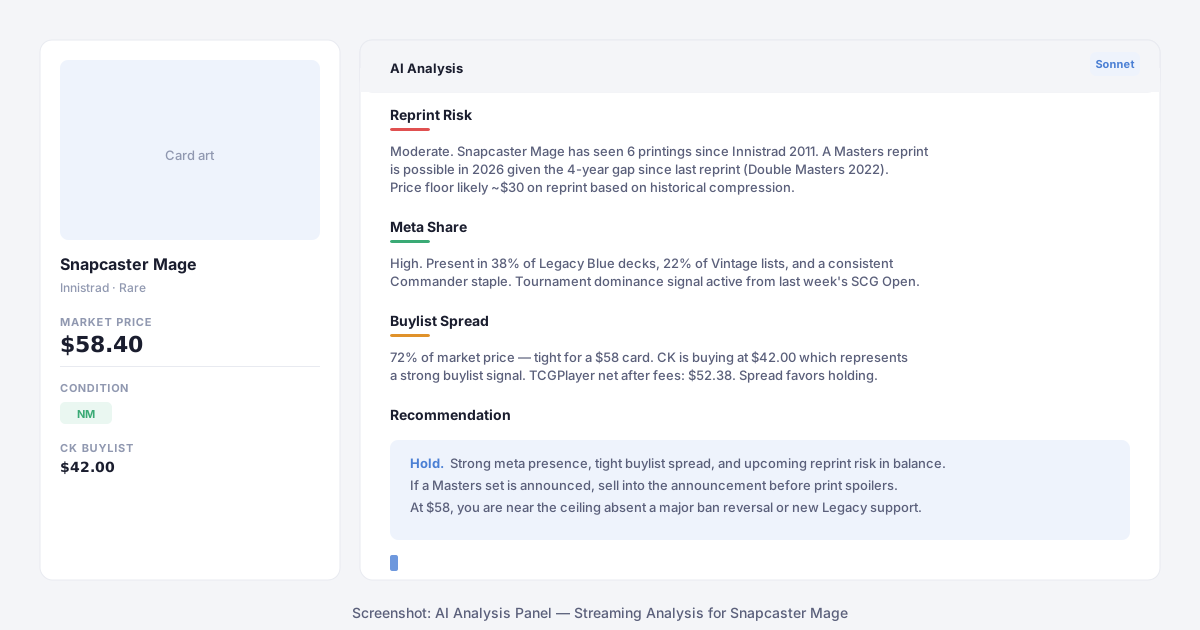
Click the Analyze button on any card in your collection to run an AI analysis. CardMind queries four data sources in parallel - Scryfall price history, Card Kingdom buylist, MTGJSON reprint data, and the signals table - then passes the combined context to Claude Sonnet.
The analysis covers four dimensions:
- Reprint risk - How many times has this card been printed? When was the last reprint? Is it the kind of card that appears in Masters sets, precons, or Secret Lairs? If a reprint would cut the price, the analysis says so and estimates the floor.
- Meta share - What formats play this card? At what frequency? Recent tournament data is factored in when a dominance or emerging signal is active.
- Buylist spread - The gap between market price and the best available buylist offer. A tight spread (CK buying at 80%+ of market) is a sign of genuine demand. A wide spread (40%) suggests the market is thin or overstocked.
- Recommendation - Hold, list, or watch. The reasoning is shown inline so you can evaluate it yourself. CardMind never uses financial advisor language.
Responses stream in real-time as the model writes them, similar to ChatGPT. The full analysis takes about 10 to 15 seconds. Track accounts get 10 analyses per month. Player and Investor tiers are unlimited.
Price signals
CardMind monitors 113,000+ cards every day looking for patterns that precede or accompany price movement. When a pattern clears the confidence threshold, a signal fires and appears in your signal feed.
There are ten signal types:
- Price spike / price drop - Market price moved significantly in a short window
- Buylist rise / buylist drop - Card Kingdom's buylist price shifted, often ahead of retail
- Tournament dominance - Card is appearing at an unusually high rate in recent top-8 lists
- Tournament emerging - Card is showing up in lists where it previously had minimal presence
- Volume spike - Listing volume or sales velocity jumped above baseline
- Buy opportunity - Buylist price significantly exceeds retail price (rare, usually data lag)
- Ban window - A B&R announcement is scheduled and this card is on watchlists
- Target price hit - A card you set an alert for crossed your threshold
Each signal includes a confidence level (HIGH, MEDIUM, or LOW), the detail text explaining why the signal fired, and the underlying price data. Your collection cards are flagged in the dashboard when they have active signals, so you do not need to check the signal feed manually to know when something is happening.
Price alerts
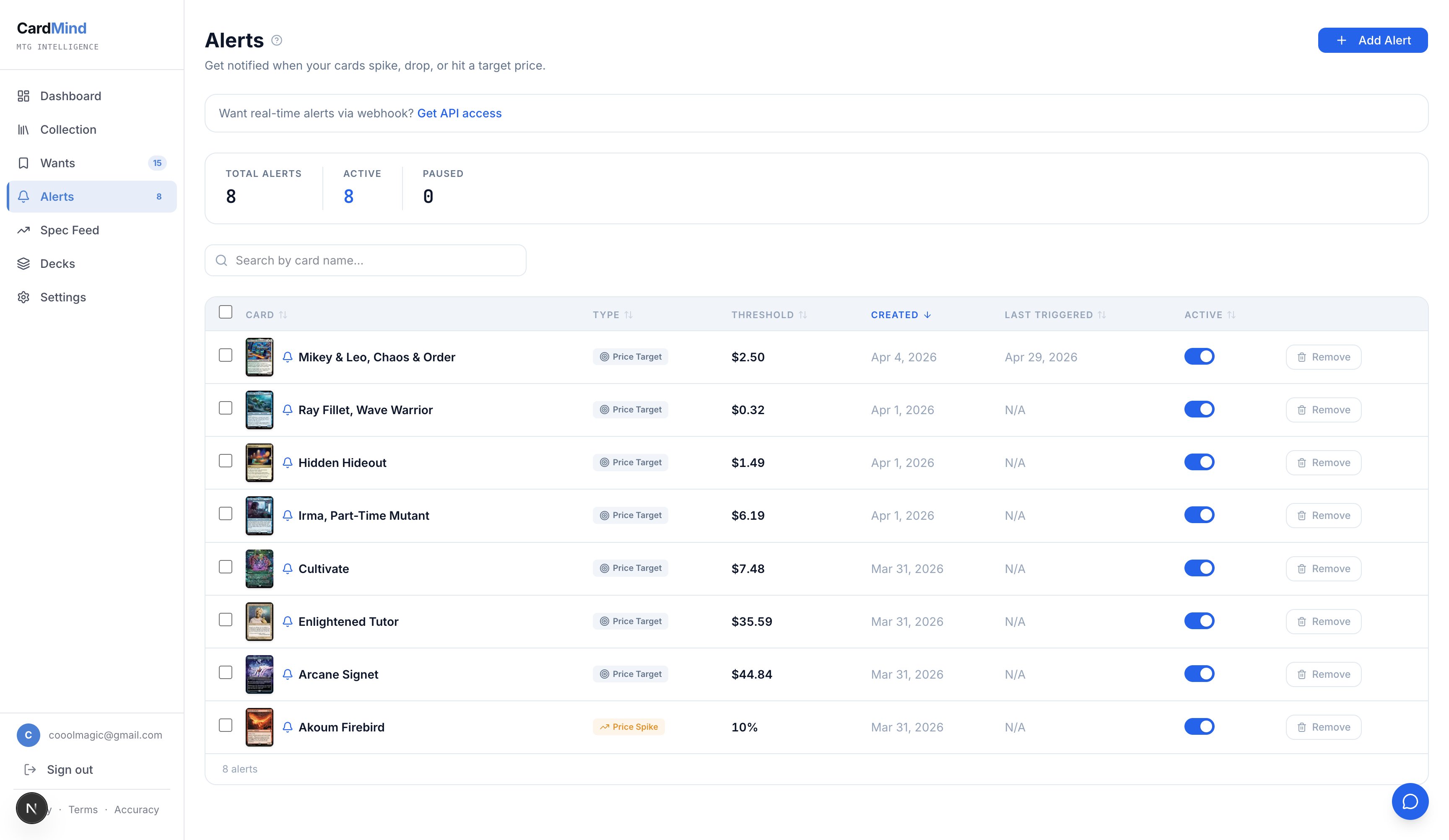
Signals fire automatically based on pattern detection. Price alerts are different. They are thresholds you set manually for specific cards. You pick a card, set a target price (above or below current market), and CardMind emails you when the price crosses that line.
To create an alert, click the bell icon on any card row in your collection or on the card detail page. Set your target price and direction (above / below), then save. Alert emails are sent within minutes of the threshold being crossed.
Track accounts can hold 10 active alerts. Player and Investor accounts get unlimited alerts. Email delivery requires a Player or Investor plan. Track accounts receive in-app notifications only.
Portfolio briefing (Player+)
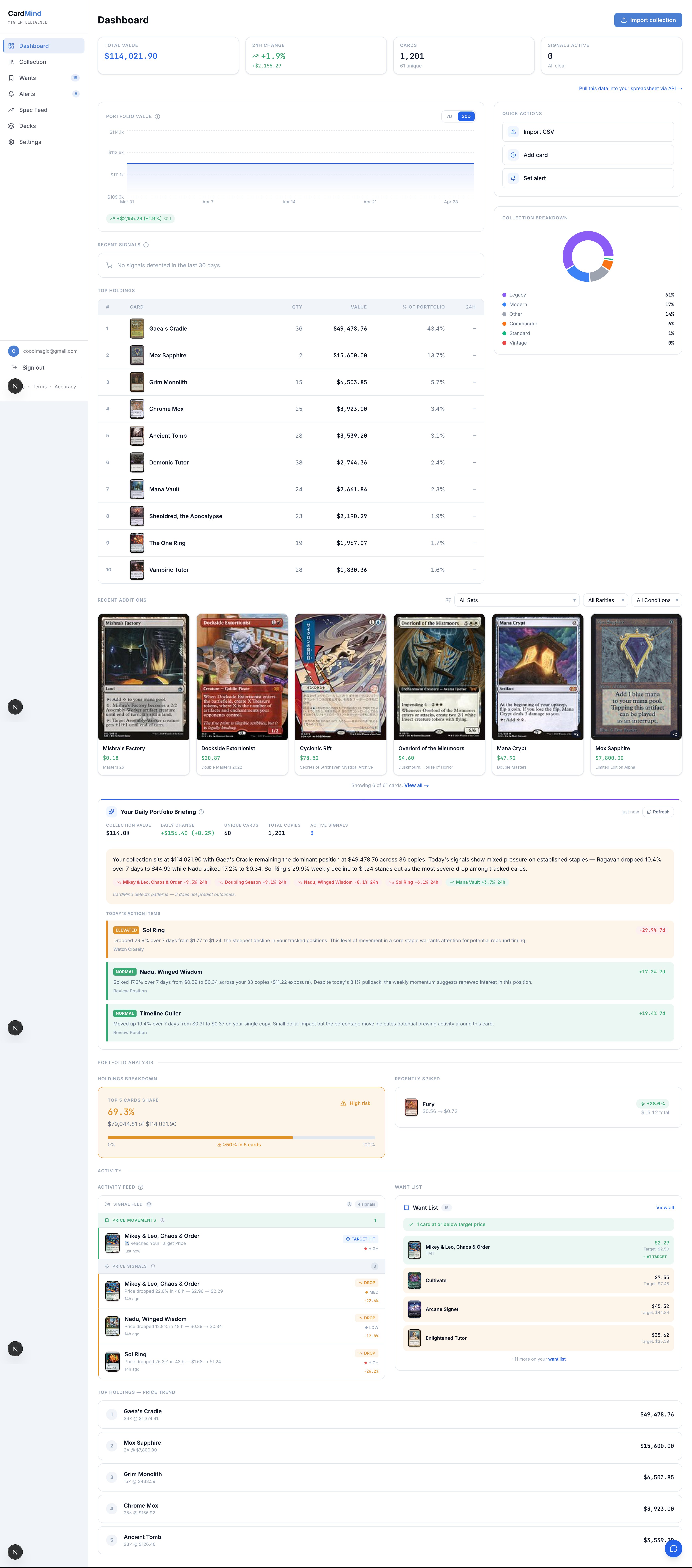
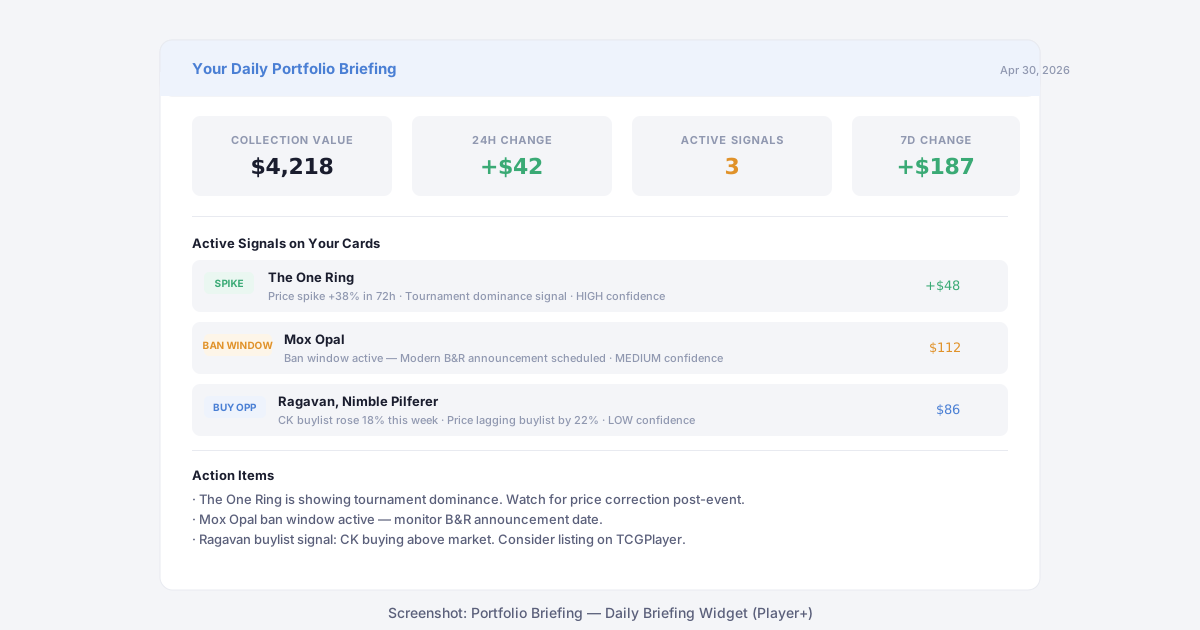
Player and Investor accounts get a daily portfolio briefing delivered to the dashboard. The briefing is generated fresh each morning and covers three things: your collection's value change over the past 24 hours, the active signals on your specific cards, and any action items those signals support.
Action items are signal-gated and only appear when real data from the signals table supports them. If no signals are active on your cards, the briefing shows your value summary and notes that nothing requires attention today. CardMind never generates speculative action items from price percentages or portfolio weight alone.
The briefing uses informational framing throughout. CardMind is a price intelligence tool, not a financial advisor. You will not see language like "lock in gains," "rebalance," or "concentration risk." The briefing describes what the data shows and lets you decide what to do with it.
Sell optimizer
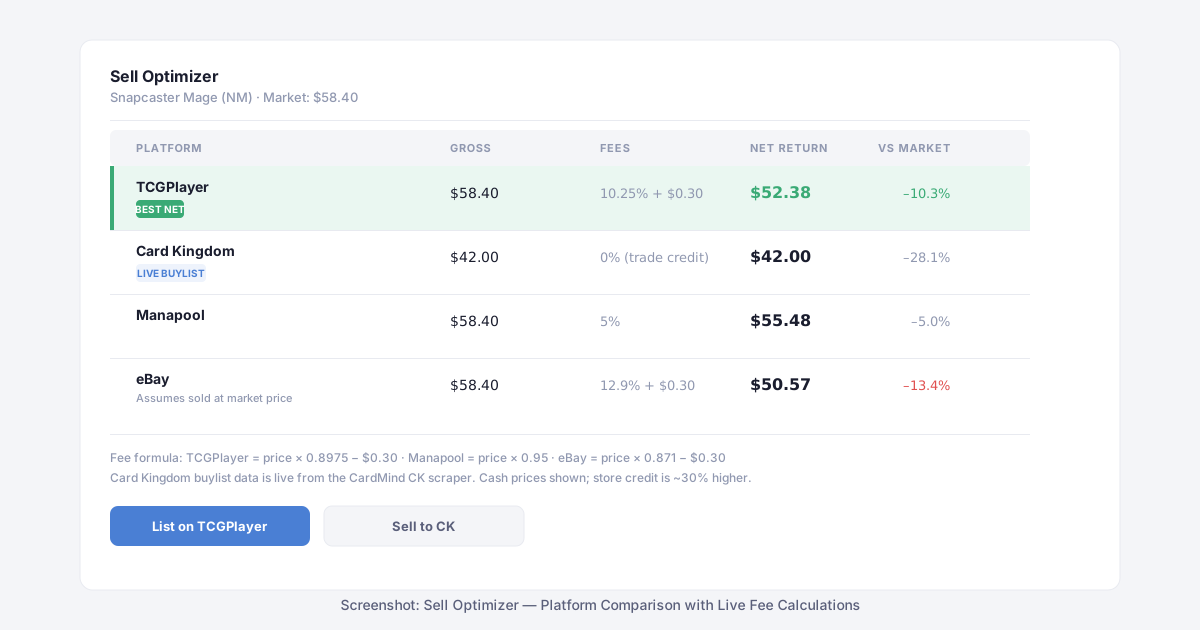
When you decide to sell a card, the sell optimizer compares your net return across four platforms: TCGplayer, Card Kingdom, Manapool, and eBay. Each platform uses a different fee structure, and the differences compound at higher card values.
The fee calculations are:
- TCGplayer - market price × 0.8975 − $0.30
- Manapool - market price × 0.95
- eBay - market price × 0.871 − $0.30
- Card Kingdom - live buylist price (cash), no percentage deduction
Card Kingdom's buylist data comes from a live scraper, so the price shown reflects what CK is actually paying today, not a cached estimate. CK also offers store credit at approximately 30% above the cash rate. The optimizer shows cash by default.
For Track accounts, the optimizer shows TCGplayer and Manapool. Card Kingdom and eBay rows are visible but locked and unlock with a Player subscription.
Getting started
Creating an account takes about 30 seconds. You can sign up with Google, GitHub, or an email address. If you used the collection calculator before signing up, your card list transfers automatically on first login, with nothing to re-enter.
The Track tier covers unlimited collection size, 10 AI analyses per month, and 10 price alerts. The Player plan adds unlimited analyses, unlimited alerts, email notifications, the full sell optimizer, and the daily portfolio briefing. A 14-day free trial is available.
Start with what you have. CardMind will show you what it means.
CardMind is a market intelligence tool. Nothing on this site constitutes financial advice. Card prices are sourced from Scryfall (TCGplayer market data) and Card Kingdom. All analysis is informational only.